SSH remote terminal
Copyright © Quectel Wireless Solutions Co., Ltd. 2026. All rights reserved.
SSH (Secure Shell Protocol) is an encrypted network protocol used to securely access and manage computers remotely over insecure networks (such as the Internet). It protects communication security and prevents eavesdropping and tampering by establishing an encrypted tunnel between the client and the server.
Note
The device is connected to the network via wired or Wi-Fi connection. The Quectel Pi H1 Smart Single-Board Computer will automatically obtain an IP address via the DHCP protocol.
The SSH server is disabled by default. It can be enabled using one of the following methods.
Operate on desktop of Smart Single-Board Computer
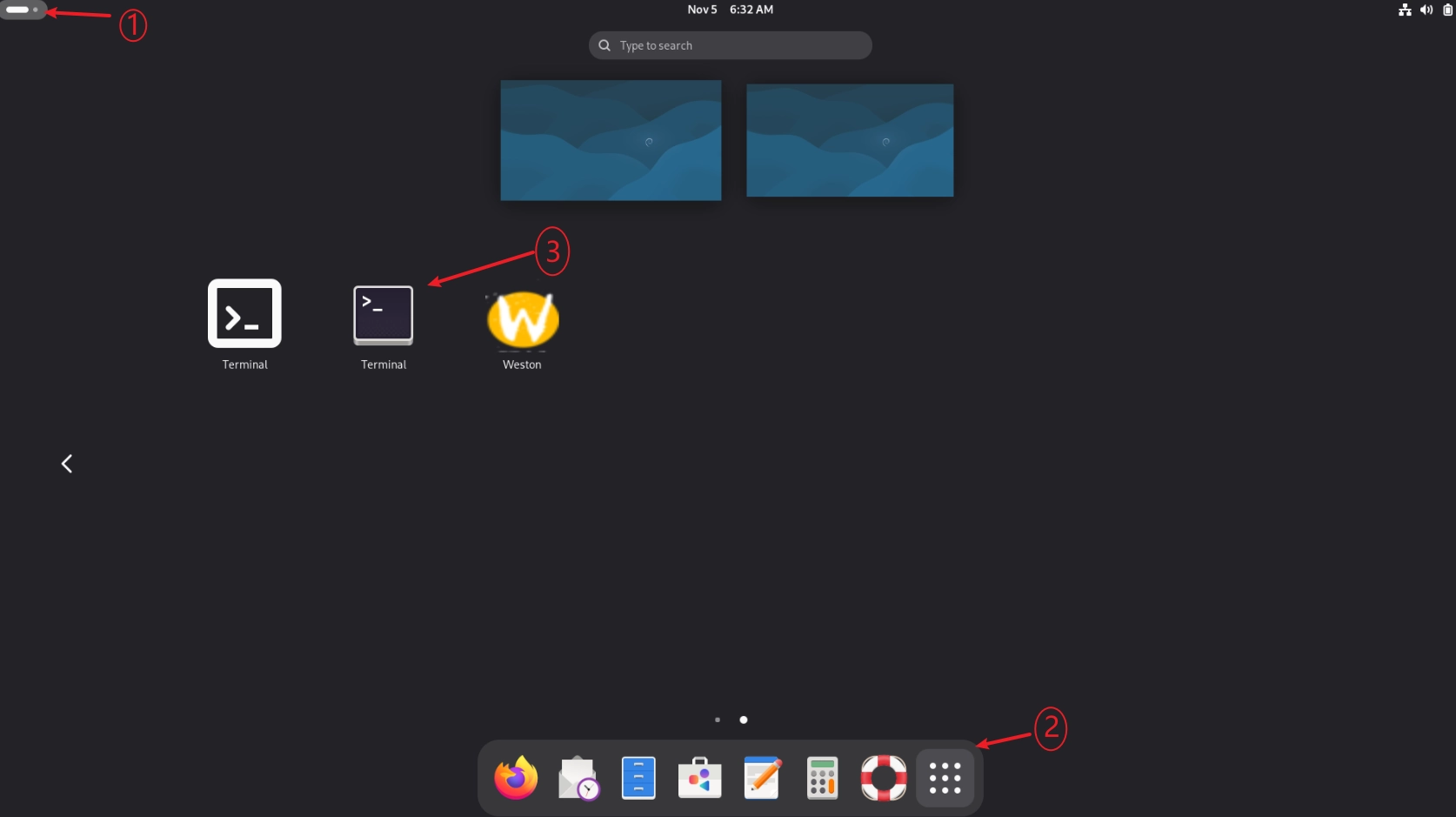
Open terminal in system applications
Install ssh-server service
sudo apt install openssh-server
If prompted as shown below, type “Y+Enter”.
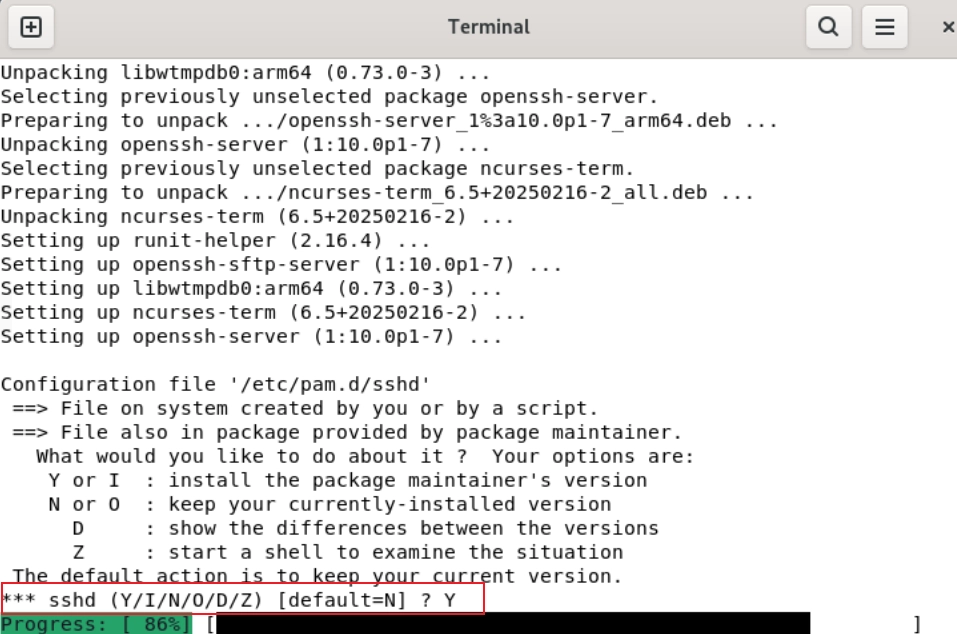
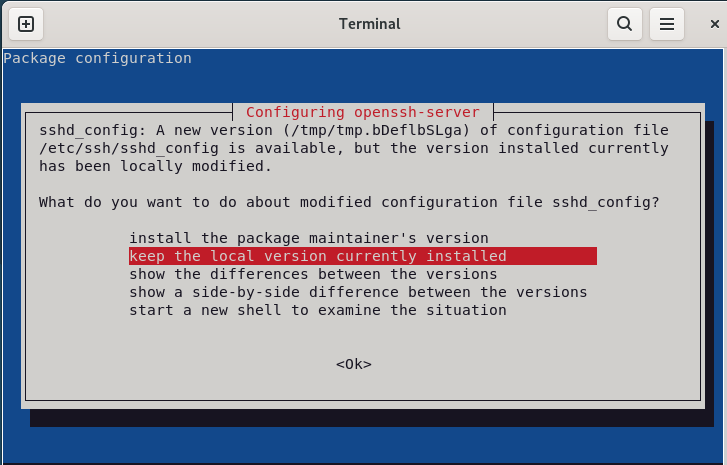
For any subsequent options, simply press
Enter.
Start ssh-server service
# Enable auto-start
sudo systemctl enable ssh
# Start service
sudo systemctl start ssh
# Check service status
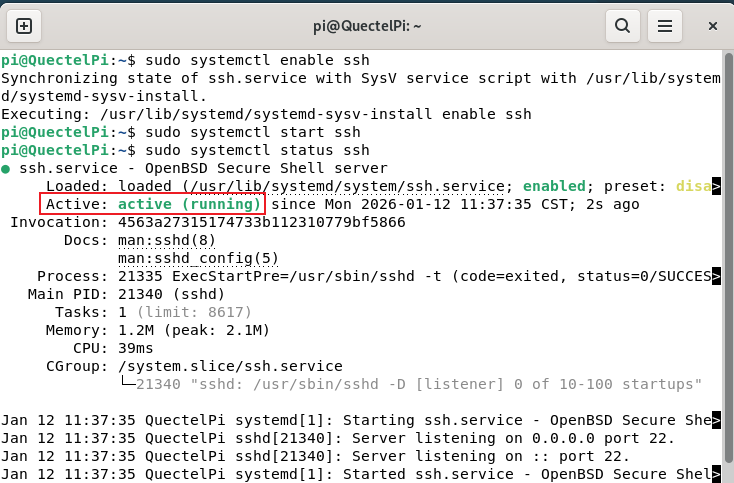
sudo systemctl status ssh
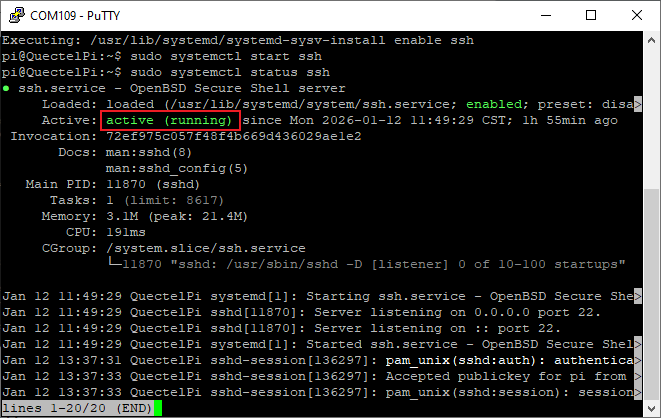
If the service status shows “active (running)”, it indicates the service has started successfully. You can proceed to the next step.
Get IP address of Quectel Pi H1
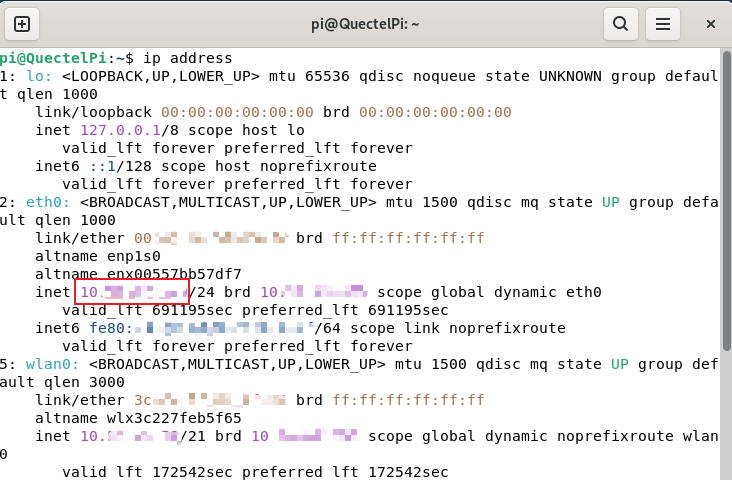
Enter the ip address command in the terminal to view the IP address of Quectel Pi H1.
Configure SSH login
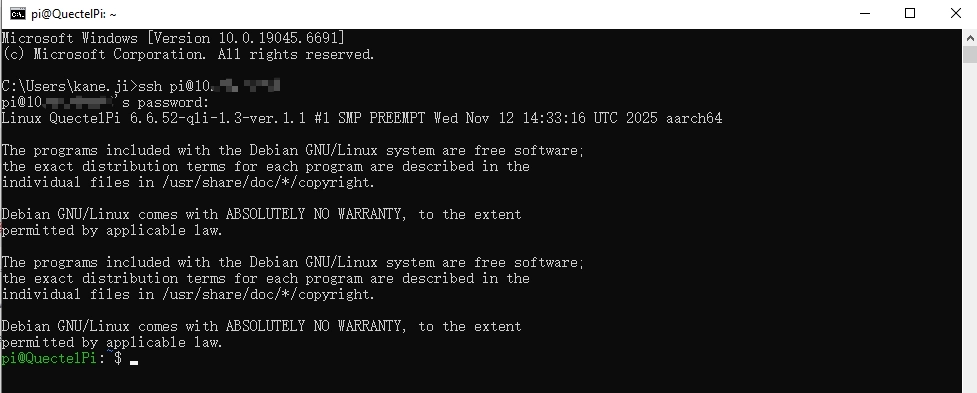
Enter the following command in the Windows console. You need to enter “Yes” to confirm the connection during the connection process.
ssh <username>@<ip-address># Examplessh pi@192.168.2.xxx
Operate on serial console
Log in to serial console
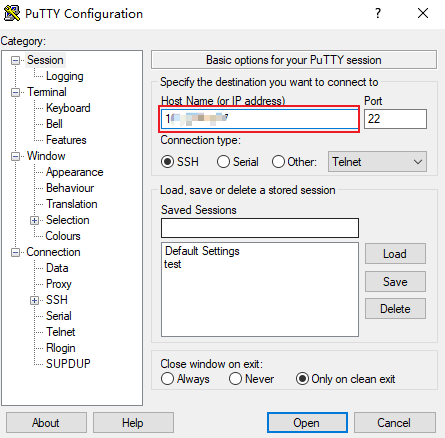
Open PuTTY, configure USB serial port parameters, then click “Open”.
Install ssh-server service
sudo apt install openssh-server
When prompted with “Continue? [Y/n]”, press “y+Enter”.
For any subsequent options, simply press
Enter.
Start ssh-server service
# Enable auto-start
sudo systemctl enable ssh
# Start service
sudo systemctl start ssh
# Check service status
sudo systemctl status ssh
If the service status shows “active (running)”, it indicates the service has started successfully. You can proceed to the next step.
Get IP address of Quectel Pi H1
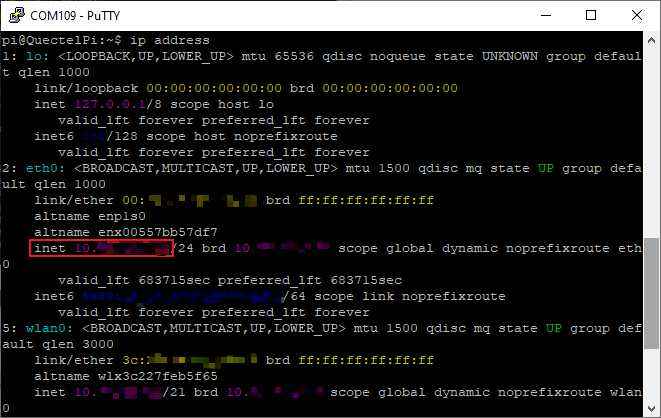
Enter the ip address command in the serial console to view the IP address of Quectel Pi H1.
Configure SSH login
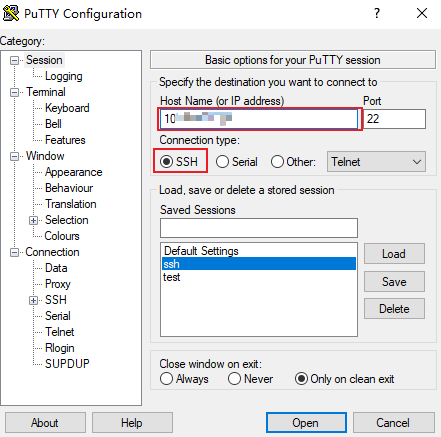
Reopen PuTTY, tick “SSH” and enter the IP address of Quectel Pi H1, then click “Open”.
For the username and password settings used during login, please refer to the System login chapter.